Read it. Drill it. Recall it at work.
Start with free Linux lessons, reference notes, and safe labs. Then use Terminal Drill to turn recognition into durable command recall.
The free site teaches the concept. The app trains recall.
Most command-line resources stop at recognition. Terminal Drill connects lesson, reference, lab, and review so the command is still there under pressure.
Read it
Free operator-focused lessons for navigation, files, search, permissions, logs, networking, Git, systemd, containers, and storage.
02Map it
Reference entries make commands, flags, failure modes, and module context easy to scan before practice.
03Drill it
Preview the recall categories that become typed command practice, scenario cards, fix-the-command drills, and review due dates.
04Use it safely
Practice with VM-safe prompts and dry-run habits. The browser never executes shell commands.
A weekly workout for the command line.
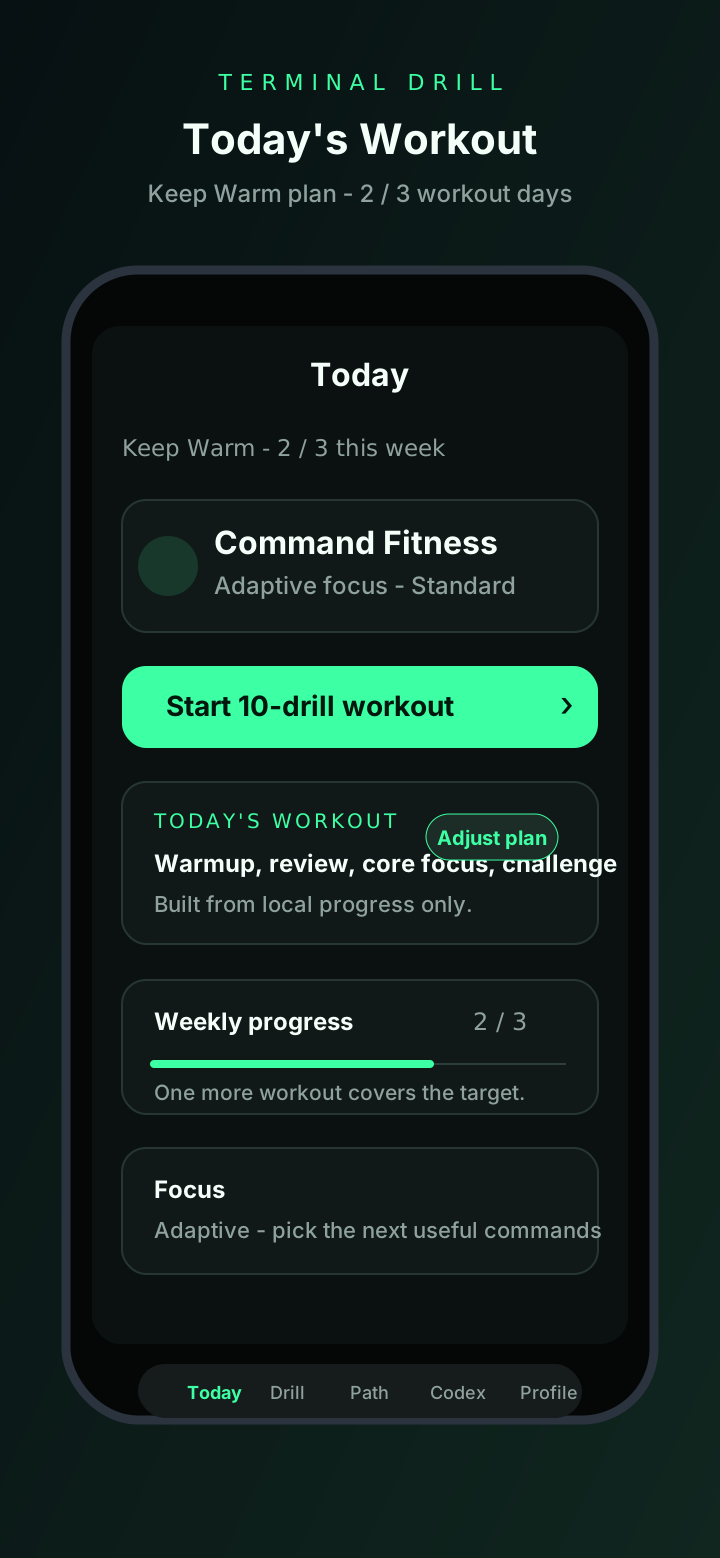
Today’s Workout is built on-device from local progress, review state, unlock state, and selected focus. No telemetry, no cloud account, no real shell execution.
Warmup, review, core focus, challenge.
The deterministic workout builder blends drills you should revisit with a focus area that moves your shell fluency forward. Result screens then explain what changed and what to do next.
Keep Warm by default.
Start with a three-day weekly target, then choose Micro, Standard, or Deep when you want five, ten, or fifteen drills.
Adaptive, pinned, or scenario-led.
Stay adaptive, or pin Beginner Foundation, Git Workflows, Ops Incidents, a module, a command, or one of 12 scenario campaigns.
Weekly progress stays local.
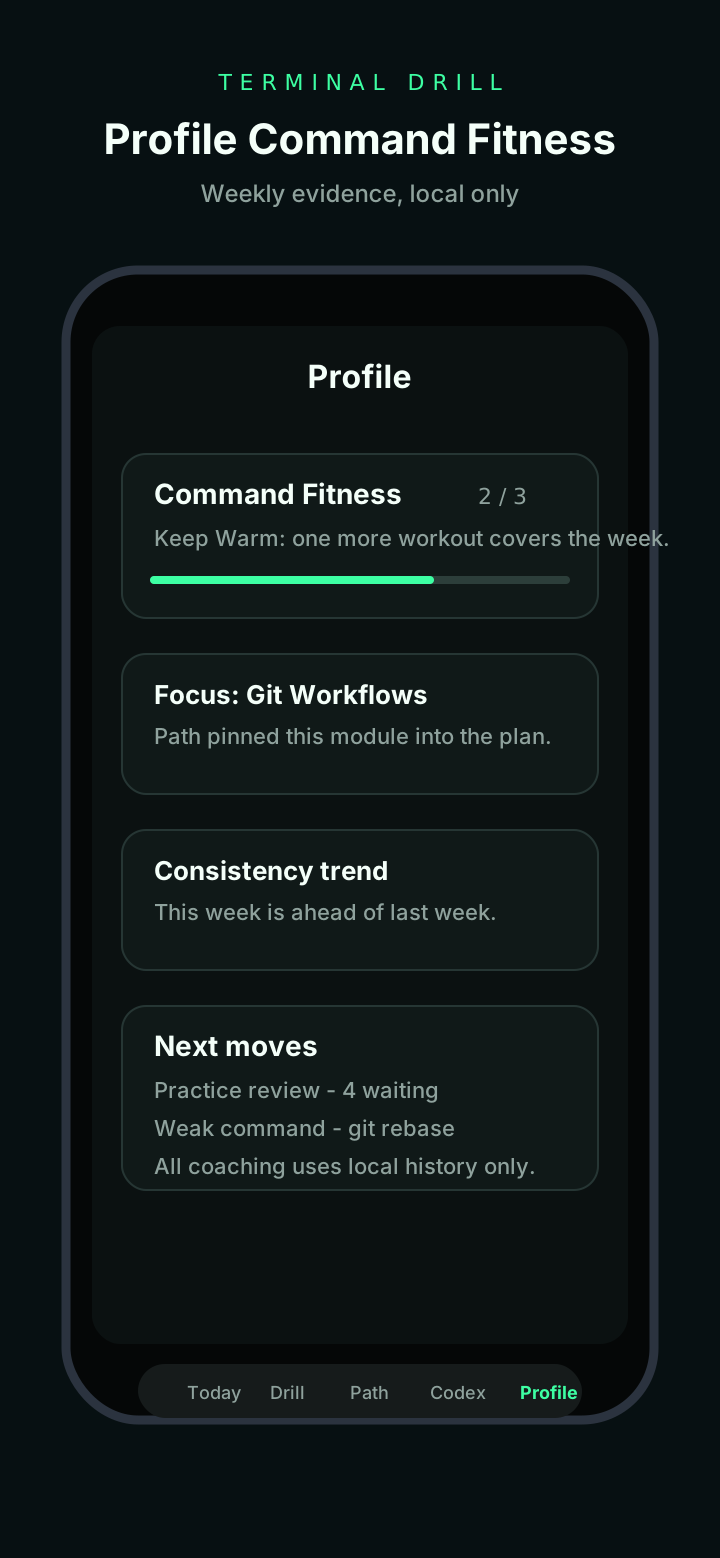
Profile shows the Command Fitness dashboard, current focus, consistency trend, and next useful practice from local progress only.
Built like a coach, still typed like a terminal.
The current app keeps the focused command-entry loop, then adds planning, local evidence, and scenario practice around it.
Six drill formats
Type-the-command, multiple choice, scenario, fill-blank, fix-the-broken-command, and explain-the-output across the same matcher.
A matcher that teaches
Understands flag order, common synonyms, and near-misses. Type w when the canonical answer is who and the app explains both.
Beginner, Easy, Regular
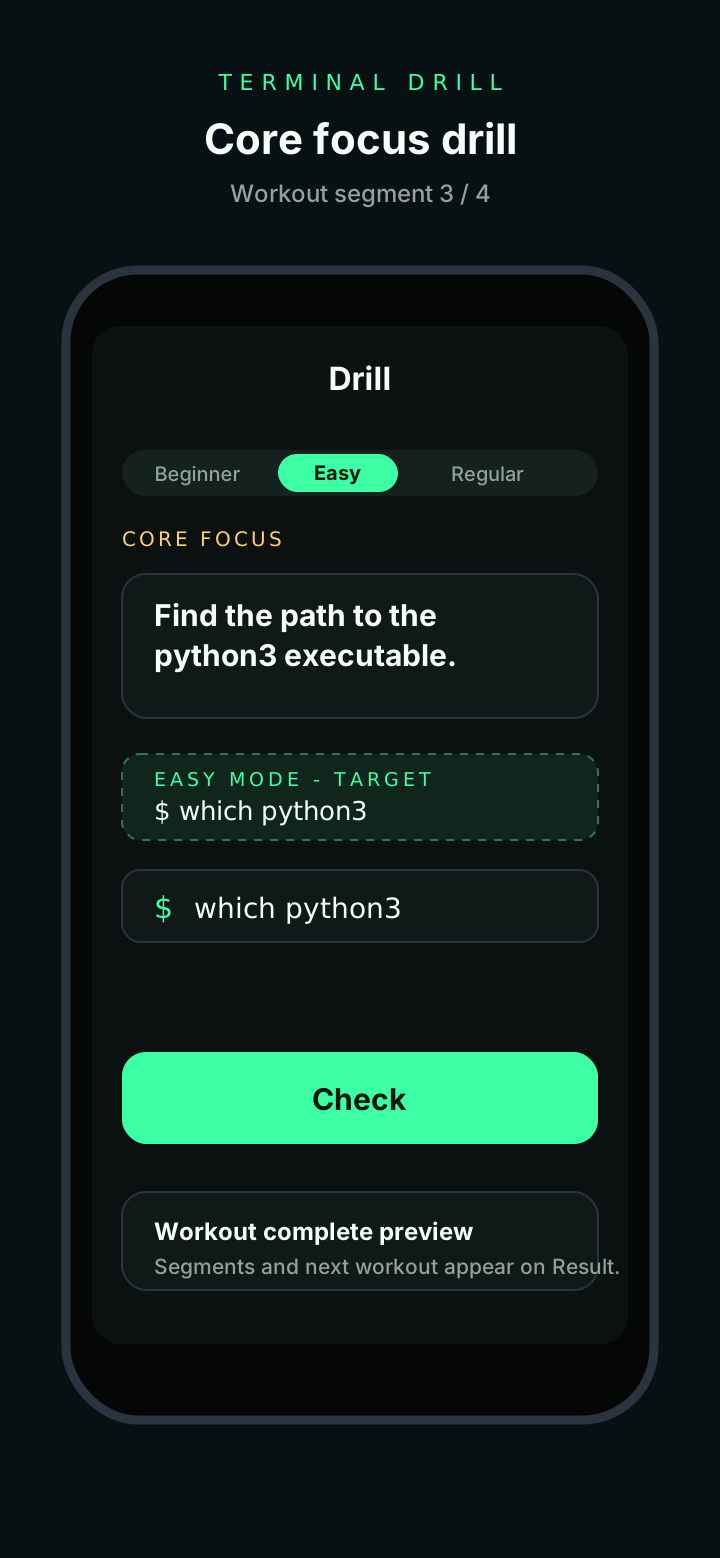
Beginner keeps sessions to five guided drills. Easy shows the target command. Regular asks for recall from prompt only.
Workout impact
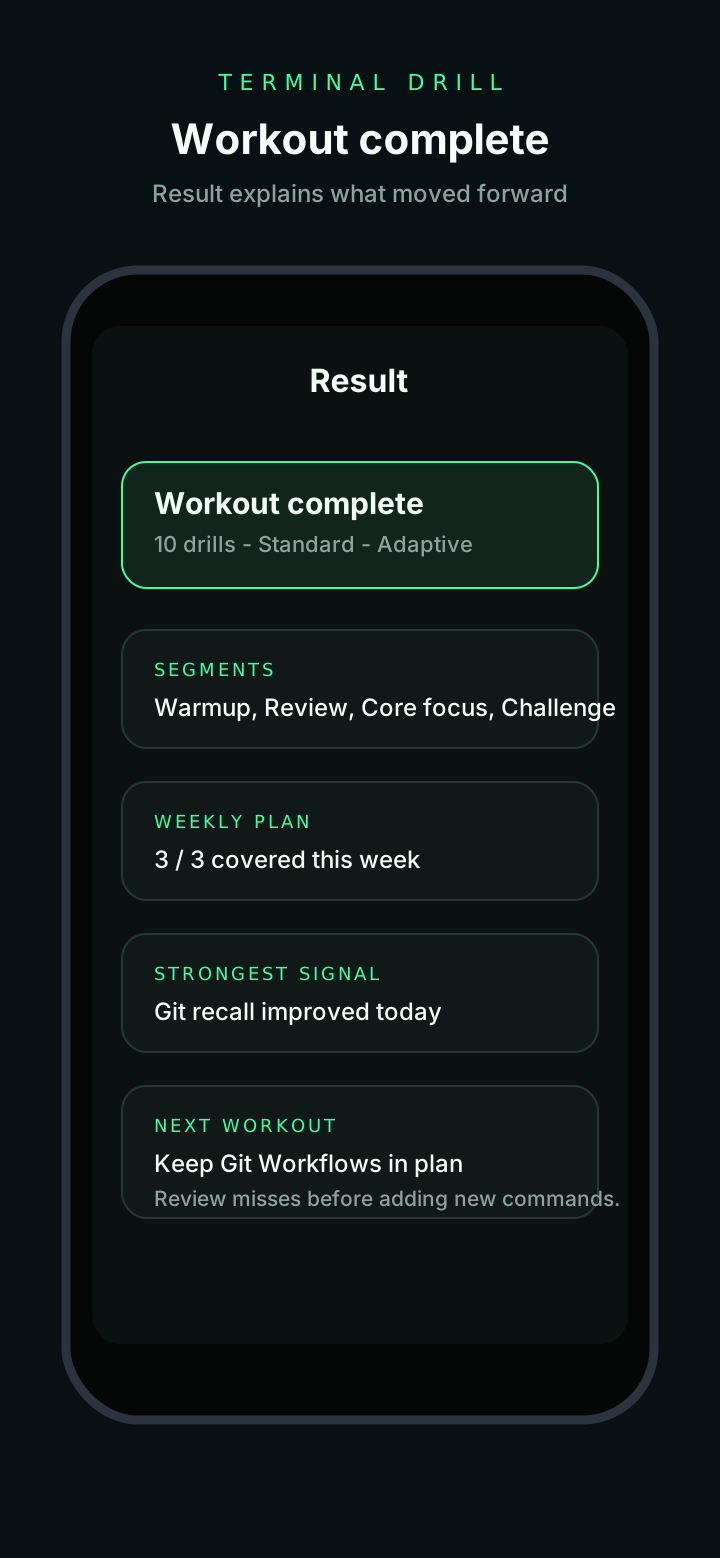
After a plan-backed session, Result explains completed segments, weekly progress, strongest signal, and the next workout suggestion.
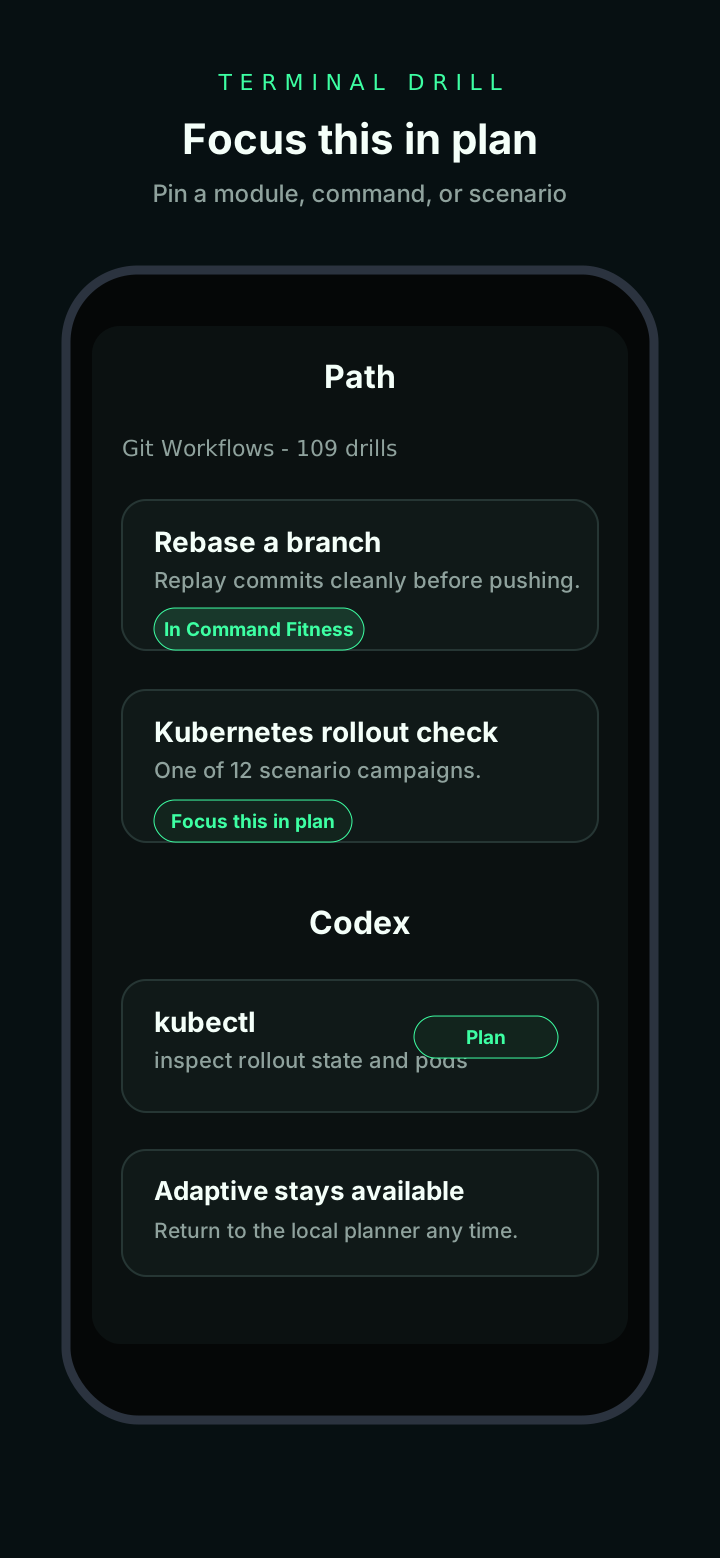
Focus this in plan
Path, Codex, and Scenario screens can pin a module, command, or workflow into Command Fitness when you want deliberate practice.
Zero telemetry, zero tracking
No accounts, analytics, servers, or real shell execution. Command Fitness uses local progress and settings on your device.
A real drill, in your browser.
Same simulated practice model as the app, scaled down to a single card. Type the command, hit ↵, see what the matcher thinks.
The workout story, screen by screen.
Website previews for the current Command Fitness flow: Today, Drill, Workout Result, Focus this in plan, and Profile.
A path from pwd to production.
Six packs progress from first-day-on-Linux through serious sysadmin territory. The first three modules are free; Full Access adds the remaining fifteen, 12 scenario campaigns, and deeper Codex practice paths.
Free to try. Full Access unlocks the library.
One-time purchase, no subscriptions. The App Store shows the local price before purchase.
Free
Enough to find out if a short weekly workout habit sticks.
- 3 free modules — Orientation, Navigation, Files & Directories
- Starter Command Fitness workouts for the first three modules
- Beginner, Easy & Regular modes, all six drill formats
- Streaks, XP, ranks, and the full badge set
- Codex reference for every command
Full Access
One App Store purchase unlocks the current full library.
- All 18 modules across 6 packs — through Advanced Storage and Systemd
- 1,014 drills — type, scenario, fill-blank, fix, multiple choice, explain
- 12 scenario campaigns — Kubernetes rollout checks, ops incidents, Git workflows, and more
- Codex deep-dives — flags, examples, pitfalls, and Focus this in plan
- Updates included — polish and new drills in current paths
- One-time purchase — no subscriptions; restores on every device with your Apple ID
Built and billed by Apple via StoreKit. Standard App Store refund policy applies. Restore your purchase any time from Profile → Settings.
One purchase. Keep the current library current.
One Full Access purchase unlocks the current library. App updates, polish, and new drills in current paths are included; future standalone content series may be separate.
One purchase, no subscription
One App Store purchase unlocks the current library. No subscriptions, no recurring charges, no surprise tiers. Restores on devices using your Apple ID.
Workout-aware updates
Command Fitness now reaches Today, Drill Result, Profile, Path, Codex, Scenario campaigns, reminders, widgets, and Live Activity copy.
One developer, one promise
Built and maintained by hand. No publisher, no analytics stack, no server-side account. Email goes straight to the person writing the code.
The privacy policy fits on a postcard.
No analytics SDKs. No crash reporters. No third-party trackers. No advertising networks. Your username, streak, mastery — all on your phone, deleted when you uninstall. StoreKit is used only for purchases.